For cross-stitch and C2C crochet
Stitch your photo. Not the couch behind it.
Choose a photo of your pet, your people or your place. StitchMyPhoto removes the background, lets you choose how many colors, and turns it into a printable pattern with a DMC floss list, right in your browser.
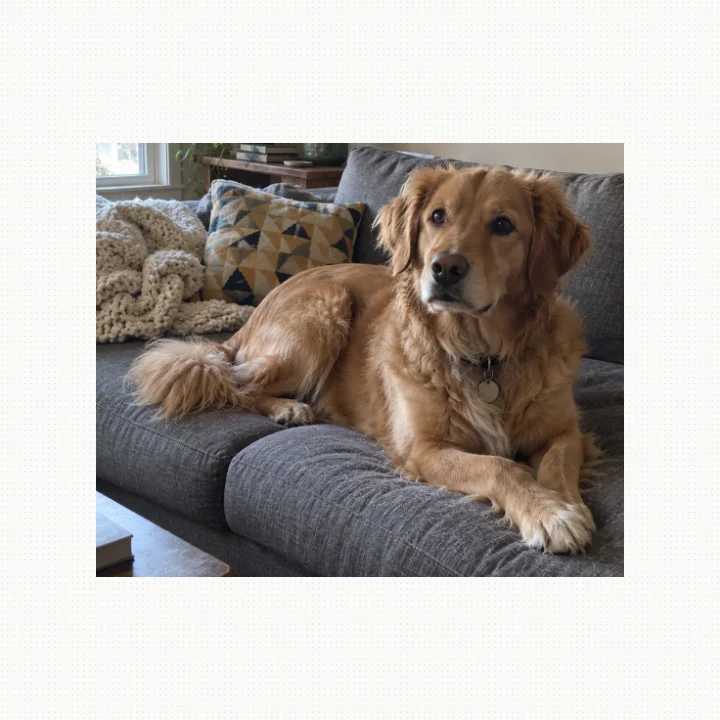
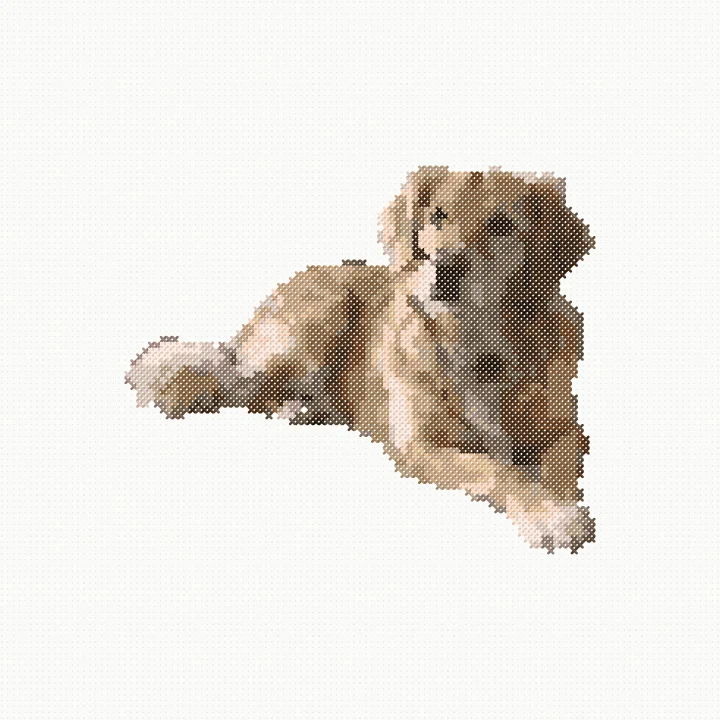
One-time payment. 14-day money-back guarantee.
or try it on your own photo first ↓Try it on your own photo
Free, right here. Your photo stays on your device.
Like it? The full version gives you the zoomable chart, the full floss list with skein counts, and the printable PDF.
Get the full version for $29You've tried the free converters.
You upload the photo you love. You get back the dog, plus the couch, the rug and the wall, in dozens of colors, with lone single stitches scattered everywhere.
So you spend the evening fixing it square by square. Or you pay someone on Etsy and wait for one pattern.
What it does
Pick a photo.
Your dog on the sofa, your parents' wedding photo, the house you grew up in.
Tap “Remove background”.
People, dogs, cats, birds, horses and vehicles stay. Everything else becomes plain fabric.
Choose your size and colors.
Pick how many stitches wide and your fabric count, and see the finished size. Slide anywhere from 4 to 40 colors. Every color is matched to a DMC floss number. For C2C, colors match Red Heart Super Saver shades.
Print the pattern.
StitchMyPhoto merges lone single stitches into their neighbors, so you're not changing thread every square. Then download the PDF.
What you get
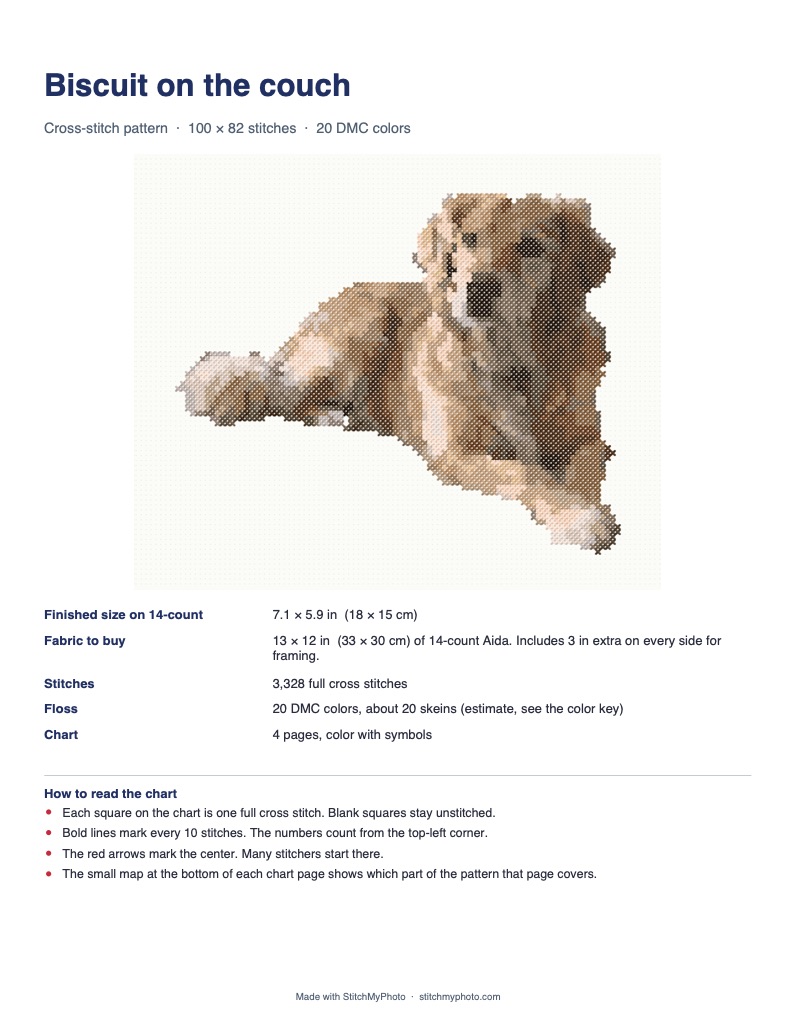
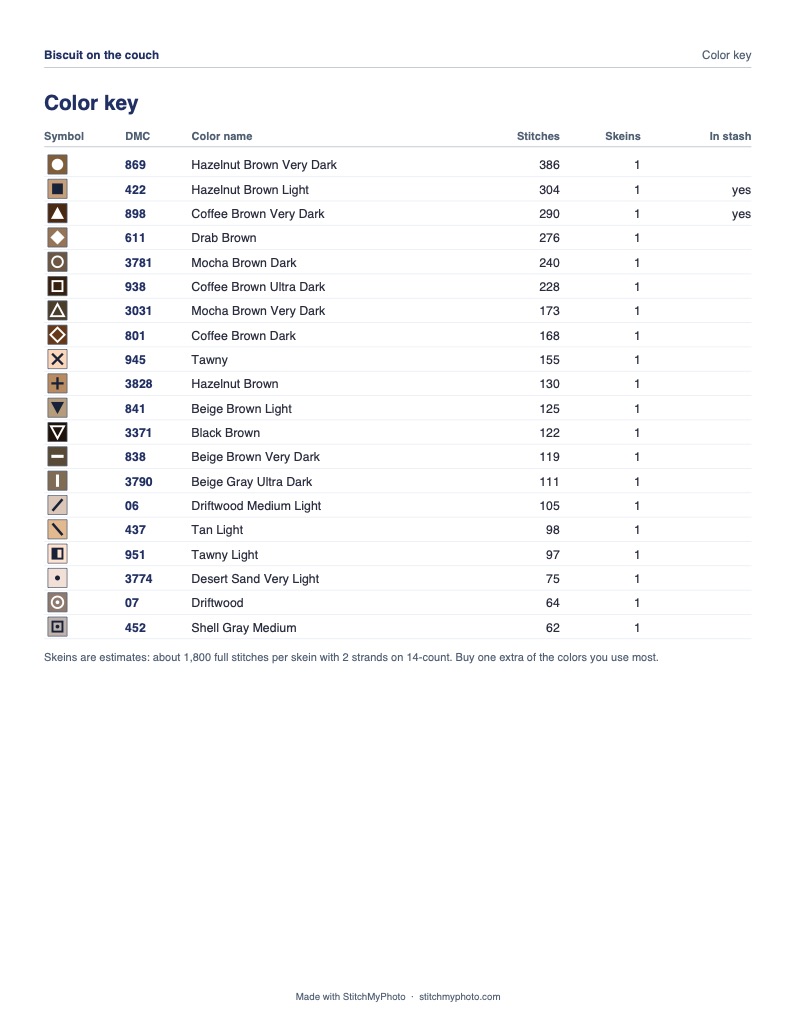
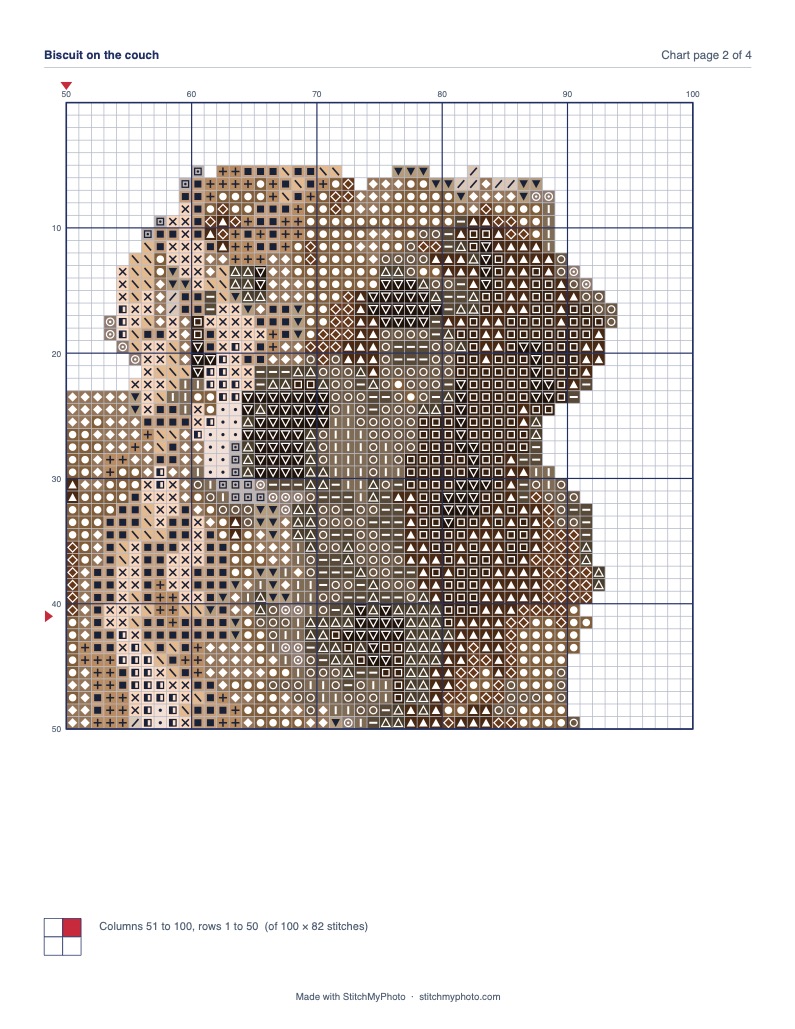
Demo Pages from a real PDF made by the app, from the AI-generated demo photo above.
- Unlimited patterns from your own photos, with no per-pattern fee
- Cross-stitch patterns and C2C crochet graphs
- A printable PDF in color with symbols, or in black and white to save ink, on US Letter or A4
- A floss list with DMC numbers and skein estimates. Tick the colors you already own and it shows only what to buy
- The finished size and how much fabric to buy, for 11, 14, 16 or 18-count Aida
- Your patterns saved in your browser, with no account to create
- Works in your browser on phone, tablet or computer, with nothing to install
- Your photos stay on your device and are never uploaded
StitchMyPhoto
$29 one-time
Unlimited patterns. No subscription.
Get StitchMyPhoto for $2914-day money-back guarantee. If StitchMyPhoto doesn't work for you, email us within 14 days of buying and we'll refund you in full.
Questions
Is it a subscription?
No. You pay once and keep it.
What happens after I pay?
You get a license key on screen and by email. Open the link in the email and the full version unlocks in the app. No account to create.
Do I need to know how to cross-stitch or crochet?
Yes. StitchMyPhoto makes the pattern and the thread list. The stitching is yours.
Will it work with my photo?
It works best when the photo has a clear subject: a person, dog, cat, bird, horse or vehicle. If it can't find one, the background stays and you still get a pattern. The app checks your photo and tells you if it's too small, dark or blurry. You can try it free before you buy.
Is my photo uploaded anywhere?
No. Everything runs in your browser, on your device.
Can I use it on more than one device?
Yes. Open the link from your email on each phone, tablet or computer you use.
Can I sell what I make?
You can stitch, gift and sell the finished pieces you make. The PDF patterns themselves are for your own use, so please don't sell or share them.
What if it doesn't work for me?
Email us within 14 days of buying and we'll refund you in full. See the refund policy.
One-time payment. 14-day money-back guarantee.